User Guide

Get detailed operating instructions and product care information for all Jackery products

User Manuals

  • HomePower 2000 Ultra
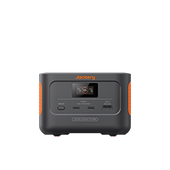
  • Portable Power Station
  • Solar Panel
  • Accessories
  • Solar Connection Guide

User Guide Video

  • Solar Generator
  • Portable Power Station
How To Use Jackery Solar Generator 1000 Pro (Explorer 1000 Pro + SolarSaga 80W) VIEW MORE
How To Use Jackery Solar Generator 2000Pro (Explorer 2000 Pro + SolarSaga 80W) VIEW MORE

Product Maintenance

  • Portable Power Station
  • Solar Panel

FAQ - Portable Power Stations

  • Solar Generator
  • Portable Power Station
  • Solar Panel
  • Accessories
  • In order to prevent the battery from overcharging, our generators are regulated at a certain voltage and current.
    The solar panel can reach up to 18V and the power station can support up to 6.3A.
    Therefore, with 2 solar panels combined, the maximum power input that's expected will be 18V x 6.3A equalling approximately 120W. At the same time, we are working currently on improving the charging process and will upgrade the charging port as soon as possible."

  • Y Cable can only connect 2 solar panels or three solar panels, not only 1 - it is in an open circuit state. It is necessary to confirm that the power of the solar panels at both ends of the Y cable is the same.

  • Yes, of course - Jackery 80W, 100W, and 200W are suitable for any of Jackery's model power stations;
    Please note when using 100W or 200W to charge models below the Jackery E1500, it can be directly inserted and does not need to be used with an 8mm adapter;
    When using 80W, 100W, or 200W to charge Jackery E1500, E2000 Pro, it needs to be used with an 8mm adapter.

  • If the power station meets the following 3 criteria, and then you'll be able to use it properly:
    1. If the third party power station supports solar charging
    2. The output power of the SolarSaga 100W is 18V
    3. If the cable connector size is 8mm

  • Yes, except for the Explorer 160, all other products support pass-through charging.
    However, we do not suggest using it this way very frequently, as it will cause some damage to battery life.

  • 1. We recommend keeping the battery power above 20%, when in use or storing the power station regularly.
    2. A fully charged battery can last for several months. However, please recharge it every 3 months to keep the battery power above 50% when not in use.
    And store in a dry and cool place, the temperature range is between 0°C and 40°C, the humidity range is between 0% and 60%, and avoid contact with corrosive substances, and keep away from fire and heat sources.

  • The Jackery power station can be charged with a third party brand solar panel, it must match the below conditions, for example, charging the Explorer 1000;
    1. The voltage must be between 12-30v
    2. The plug connection size: Outer diameter 7.9mm, inner diameter 5.5mm, inner needle diameter 0.9mm (empty)
    3. However, we do not recommend other brand products to recharge the Jackery power station. For safety, please purchase the Jackery SolarSaga 100W for the Jackery Explorer 1000 - as we can not guarantee quality of other products, whilst providing after-sale services.

  • Both 100W solar panels and power stations are not waterproof. Even with IPX67 waterproof Solar panel 200W, the solar panels are not recommended to use in rain, as water will cause damage to the connection ports.To maximize the lifespan of the unit, please make sure you retrieve the panels when it is raining.

  • 1: Series connection: Solar panels cannot be connected in series to charge the energy storage, the series circuit will lead to current limitation.

    2: Parallel connection: The parallel connection of solar panels of different specifications needs to be divided into 2 different situations, combined with specific models to distinguish:

    A. Parallel connection of solar panels with different specifications has no effect on the charging power.
    -Mainly limited to models with 2 DC charging ports and the charging ports are relatively independent (such as 1000PRO), parallel connection between 80W, 100W, and 200W has no effect on charging power;

    B. Solar panels of different specifications are connected in parallel, and when there is a small deviation in the operating voltage of the parallel circuit, the expected power loss is also small (for example, 2000PRO).
    B1. The charging power of 80W mixed with 100W and 200W in parallel will be 5-7% lower than the theoretical value.
    -80W solar panel and 100W/200W, there is a voltage difference of 3-4V.
    B2. The charging power of 100W and 200W in parallel has no effect.
    -There is no voltage difference between 100W and 200W solar panels, which has no effect on charging power.

  • The 16.4-feet Jackery DC Extension Cable for Solar Panel is available to use. For more details, please refer to the link: https://eu.jackery.com/products/dc-extension-cable-for-solar-panel

  • Please reach out to us via hello.eu@jackery.com or via Amazon, we will be happy to help.

  • The solar charging cable of the Jackery solar panel is 3 meters long.

FAQ - HomePower 2000 Ultra

About HomePower 2000 Ultra
About Solar Panel
About Accessories
About The APP
  • What is the off-grid output power?

    During outages or in need of an extra socket, an appliance can be pluged directly into HP2000 Ultra with up to 1500VA (requires battery SOC ≥5% and normal temperature).

  • How to expand battery capacity?

    Stack up to 3×HomePower Battery 2000 for 8kWh total.

  • How does Self-Consumption mode work?

    Solar powers loads first, excess energy charges the battery or feeds the grid.

  • How to set Time-of-Use (TOU) mode?

    In the app, users can define specific charge and discharge periods where HP2000 Ultra will either charge the battery or power loads accordingly. When neither charging nor discharging is active, PV power generated by the system will be directly fed into the grid while any excess energy beyond grid requirements will automatically be routed to charge the battery.

  • What should we pay attention to when HP2000 Ultra is not in use?

    Charge to 50% SOC, disconnect cables, and store in a dry place (0-25°C).

  • How to achieve zero energy waste?

    Pair with Shelly Pro 3EM to dynamically adjust output.

  • What is the standby power consumption of the HP2000 Ultra?

    The standby power consumption of the HP2000 Ultra is 3W.

  • Can the HomePower 2000 Ultra feed power or can it only power a single load?

    In addition to using the off-grid port to power a single load, HomePower 2000 Ultra can also output power through the grid-connected port to multiple household loads and feed excess power to the grid.

  • What does the AC Couple function mean?

    If the rooftop PV system and inverter are connected, and in full sunlight, the rooftop PV system provides power to the household loads, but there is still excess energy, you need to connect the Shelly smart meter with the HP 2000U. Then enable the AC-Couple function in the app to store the excess energy from the home grid into the HP 2000U.

    With the Shelly smart meter, the HomePower 2000 Ultra can identify surplus energy in the home grid and prioritize it for storage in the HomePower 2000 Ultra. Combined with the device’s self-use function, it can discharge during peak hours, optimizing energy savings.

    This feature is expected to be launched in July, so stay tuned!

  • Will the HomePower 2000 Ultra not work during a power outage?

    When a power outage occurs, HomePower 2000 Ultra will immediately stop using the grid-connected port to feed power to protect the safety of power maintenance workers. However, the photovoltaic input function and off-grid port can also be used normally during a power outage, providing a maximum of 2000W of photovoltaic input and 1500W of AC output to ensure the quality of life of users.

  • Are third-party solar panels supported? What solar panels are compatible with HomePower 2000 Ultra and how do users connect them?

    Yes, third party solar panels ranging from 11V to 60V are supported.


    HomePower 2000 Ultra is equipped with two MPPTs and two pairs of standard PV-MC4 interfaces. The maximum current of each MPPT is 26A and the maximum voltage is 60V.
    Therefore, we recommend that the solar panel connected to each PV interface should comply with the following specifications: the open circuit voltage should be between 17.5V and 60V, and the current should not exceed 26A.
    If the current is low, it is possible to connect multiple solar panels in parallel to one PV interface, but series connection is generally not recommended.
    The following are examples of Jackery's existing solar panel models:
    Jackery SolarSaga Series: These solar panels need to be connected to the HomePower 2000 Ultra via an adapter.
    Jackery 200W Flexible Solar Panel: Series connection is not allowed, each PV interface can connect up to 4 solar panels in parallel, a total of 8. The required Y-adapter is already included in the packaging of the solar panel.
    Third-party solar panels (flexible or rigid) may also be compatible with the HomePower 2000 Ultra, as long as the parameters are met. For more exact determination, please contact support.

  • Can I connect connect third party micro-inverters to the HP2000 Ultra?

    Third party micro-inverters can be connected to the HP2000 Ultra via AC Load port with a max input power of 800W.

  • HomePower 2000 Ultra compatibility with smart energy meter ?

    The HomePower 2000 Ultra is currently compatible with the following Shelly models:

    Shelly Pro EM-50
    Shelly Pro 3EM 120A
    Shelly Plus Plug S
    Shelly Plug S Gen3

    Additionally, Everhome's Ecotracker is expected to be supported in July 2025. Further integration with smart IoT devices is in development.

    (The smart energy meters needs to be purchased separately. Currently, Jackery store sells smart energy meter - Shelly Pro EM-50.)

  • How to use Shelly CT

    There are two ways to establish a connection:

    1. Through the Shelly app: First configure the smart IoT device in the Shelly app, then add a button to connect the HomePower 2000 Ultra through the device interface of the Jackery Home app.

    2. Directly through the Jackery Home app: Alternatively, you can also connect the Shelly device to the HomePower 2000 Ultra directly in the Jackery Home app.

    (The Shelly CT needs to be purchased separately. Currently, Jackery store sells Shelly CT - Shelly Pro EM-50.)

  • How many smart sockets can HomePower 2000 Ultra support?

    HomePower 2000 Ultra currently supports up to 4 smart sockets.

    (The smart sockets needs to be purchased separately. Currently, Jackery store sells smart socket - Smart Plug Pro.)

  • How to configure via the App?

    Use Jackery Home App via Wi-Fi (2.4GHz) to set modes like Self-Consumption, TOU or backup.

  • How should I troubleshoot or resolve this when the APP is showing a ground fault during use ?

    If the app reports a ground error, first try changing the outlet or click the "Update" button to install the latest version of the software. If the ground fault persists, it may be because the device is not properly grounded through the outlet. In this case, please contact customer service and provide the serial number so that they can help you resolve the issue.

Contact Us

VIEW MORE