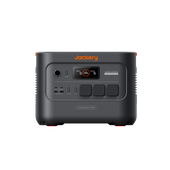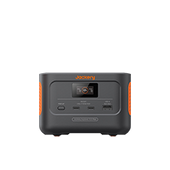
Jackery Battery Pack 2000

€799.00 €999.00 €200 OFF

Tax included.

💡 Compatibility Note: Designed exclusively for Plus v2 Series. (Not compatible with previous Explorer 1000 Plus & 2000 Plus models.)

Flexible Expansion Designed for Explorer 2000 Plus v2 and Explorer 1000 Plus v2: Each Explorer 2000 Plus v2 unit supports up to 5 connected battery packs, each Explorer 1000 Plus v2 unit supports up to 5 connected battery packs, allowing you to scale storage capacity freely to meet various power needs.

High-Capacity LFP Battery with Exceptional Cycle Life: 2048Wh large capacity powered by LiFePO₄ battery cells, delivering 6000 cycles while maintaining 70%+ capacity for long-lasting performance.

Flexible System Recharging: Connect to your Explorer 1000 Plus v2 / 2000 Plus v2 to recharge via AC wall outlet or solar panels (sold separately). 

Smart LCD Display with Auto Power-Saving: Real-time battery percentage and fault code display. Auto shut-off after 2 hours of inactivity to conserve energy.

Comprehensive Protection & Extendable Warranty: Built-in BMS with 12-layer safety protection. 36-month standard warranty, automatically extendable for official channel purchases.

Frequently bought together

  • image

    Explorer 1000 Plus v2

    €699.00 €799.00

  • image

    Explorer 2000 Plus v2

    €1,049.00 €1,349.00

  • Image Fast Delivery
  • Image 30-Day Money Back
  • Image 3+2 Years Warranty
Jackery Battery Pack 2000
€799.00 €999.00 €200 OFF
Image
Image

Jackery High-Capacity Energy Storage

Compact Body Delivers 12kWh Long-Lasting Power Supply for the Whole Home.
Image
Image
Image

Both indoor and outdoor lifestyles

Whether it's emergency home backup or powering your campsite, this system adapts seamlessly to both indoor and outdoor lifestyles.
Image
Image

Advanced LiFePO4 Power

Long Lifespan, Heat Resistance & Ultra-Fast Charging
Image

Main Specs

SPECIFICATIONS INFO

Capacity

2048 Wh (40 Ah/51.2 V ⎓)

Weight

14.8 kg

Dimension

36.5 x 25.5 x 19.1 cm

Cell Chemistry

LiFePO4

Cycle Life

6000 cycles to 70%+ capacity

Charge Temperature

-10°C to 45°C

Discharge Temperature

-10°C to 45°C

DC Extension Ports (Input)

36.8V-57.6V⎓75A Max

DC Extension Ports (Output)

36.8V-57.6V⎓75A Max

User Manual
Image

FAQ

BP2000
  • What is this battery pack? What does it do?

    This is the Jackery Battery Pack 2000, designed to add extra capacity to the 2000 Plus v2 / 1000 Plus v2 main unit. It cannot be used alone - it must be connected to the main unit to extend runtime.

  • How do I connect it to the main unit?

    Turn off both the main unit and battery pack first. Use the expansion cable to connect them, then power on again. The main unit will automatically detect it and show how many battery packs are connected.

  • Can I use it alone or charge it separately?

    No. The battery pack has no charging port or output port of its own. It cannot power devices alone or charge by itself. It only works through the main unit.

  • How does the battery pack charge?

    The battery pack must be connected to the main unit and charges together with it. You can charge the main unit via AC, solar panels, or car charging, and the battery pack will charge at the same time.

  • After connecting the battery pack, how are charging and output distributed?

    The system controls it automatically. It prioritizes charging the battery with lower power and switches automatically. For output, it distributes load based on overall power. Minor display differences between the main unit and battery pack are normal; they will eventually be fully charged or fully used.

  • Can I plug or unplug the battery pack during operation?

    No. Connect the battery pack before charging or discharging. Never plug or unplug the expansion cable during operation to ensure stable connection and safety.

  • How do I turn it on/off? What does the screen show?

    Press and hold the power button for 3 seconds to turn on, short press to turn off. The screen shows remaining battery percentage and a charging icon. If an error code appears, try restarting or contact support.

  • What should I do if an error code appears?

    If an error code appears, try restarting the device first. If it still shows, or you're not sure what to do, just contact Jackery support—we'll help you out.

  • What should I note when using and placing it?

    1. Turn off before connecting.
    2. Do not block the cooling vents on both sides; leave at least 20cm of space around them.
    3. When stacking multiple battery packs, the default maximum is 3; if stacking 4 or more, place them against a wall and secure them to prevent tipping.
    4. Do not place the battery pack on top of the main unit.
    5. The battery pack is not waterproof—do not expose to rain, immerse in water, or use in damp places.

  • What's in the box?

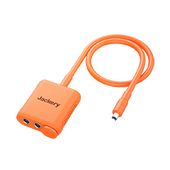
    The package includes: 1 battery pack, 1 expansion cable, and 1 user manual.