New

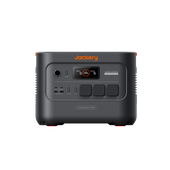
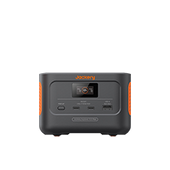
Jackery Solar Generator 3600 Plus

€2,199.00 €2,898.00 €699 OFF

Tax included.

  • 3584 Wh Capacity
  • 3600 W Output
  • 35 kg Weight

Start Bigger. Stay Home Powered Longer: Start with 3584 Wh of dependable power and expand up to 21.5 kWh with 5 expandable battery packs, giving you the flexibility to support everything from off-grid stays to 15 hrs to 9days of  reliable backup power at home.

3600W Output. Power More at Once: With 3600W rated output and 7200W surge power, Explorer 3600 Plus powers up to 7 high-demand appliances simultaneously, giving you the confidence to run more devices without constantly unplugging and reconnecting them.

Lightest, Smallest 3.6kWh LFP Power Station: Explorer 3600 Plus is 23% more compact and 33% lighter than market standards of similar capacity*, making it easier to own, transport and use.

Long-Lasting LFP Battery Built for Frequent Use: EV-grade LiFePO₄ battery with 6,000 cycles to 70%, delivering dependable backup for up to 16 years. Backed by a 5-year warranty.

Quiet Enough to Run Indoors and Overnight: At just 30dB - about as quiet as a library, it runs in the background without disturbing your sleep or your household.

Power That Moves With You: Built-in wheels and a pull handle let you roll it wherever power is needed - indoors, outdoors, or to your vehicle.

Options

Frequently bought together

  • image

    Battery Pack 3600

    Expand Your Capacity

    €1,299.00 €1,599.00

  • image

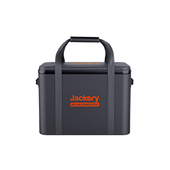
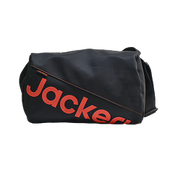
    Protective Cover

    €59.00 €69.00

  • Image Fast Delivery
  • Image 30-Day Money Back
  • Image 3+2 Years Warranty
  • Explorer 3600 Plus + 1 × SolarSaga 200 - EU Plugs
  • Explorer 3600 Plus + 2 × SolarSaga 200 - EU Plugs
  • Explorer 3600 Plus + BP3600 (7kWh) - EU Plugs
  • Explorer 3600 Plus - EU Plugs
€2,199.00 €2,898.00 €699 OFF
Image
Image

Power for Every Scenario You Need

Massive expandability, choose your configuration*

Store and Move 3.6kWh of Power with Ease.

Compact & Lightweight

Designed to Move with Less Effort

Multiple Ways to Charge Efficiently

Image

Remote Control, Smart Energy Savings

Powerful Performance. Thoughtful Design.

Image

Compact Power, Engineered by CTB

Jackery’s industry-leading CTB (Cell-to-Body) technology integrates battery cells directly into the unit’s body, maximizing space utilization and reducing unnecessary bulk. The result is 3.6 kWh of high-capacity power in a smaller, lighter design that’s easier to transport and store.

No Interruptions, UPS <10ms 

When grid power drops unexpectedly, Explorer 3600 Plus can switch to backup power in just 10ms. This helps keep important devices, such as routers, desktop computers, and NAS systems, running smoothly during short outages, minimizing interruptions and helping protect your work from data loss.
Image
Image

Ultra Quiet Power, ≤30db*

Operating at around 30 dB*—quieter than a typical air conditioner—Explorer 3600 Plus delivers low-noise power day or night.

Reliable Power, Built to Last

Image

Long-Lasting LFP Battery

Built with long-lasting ceramic-coated LFP cells, Explorer 3600 Plus is designed for frequent and long-term use. With 6000 cycles to 70% capacity, it can deliver up to 30 years* of reliable power when charged every other day.
Image

Reliable Power in More Conditions

The upgraded cell design enhances thermal stability, supporting reliable operation from -20°C to 45°C. Whether in cold or hot conditions, Explorer 3600 Plus maintains dependable performance for demanding use.
Image
Image
Image
Basic Backup
Explorer 3600 Plus - EU Plugs
€1,899.00 €2,399.00
Image
Flexible Backup
Explorer 3600 Plus + BP3600 (7kWh) - EU Plugs
€3,199.00 €4,798.00
Image
RV Trip
Explorer 3600 Plus + 2 × SolarSaga 200 - EU Plugs
€2,499.00 €3,397.00
Image
Jackery - Frost & Sullivan

Product Details

Explorer 3600 Plus
General
Weight 35 kg
Dimensions 38.5 × 30.9 × 49.1 cm
Operating Temperature Discharge: -20°C to 45°C Charge: -20°C to 45°C
Warranty 3 + 2 Years
Battery
Capacity 3584Wh (80Ah/44.8V DC)
Cell Chemistry LiFePO4
Cycle life 6000 cycles to 70%+ capacity
Output Ports
AC Output 3 Ports, 230V~ 50Hz, 3600W
USB-A Output 2 Ports, 18W Max, 5-6V⎓3A, 6-9V⎓2A, 9-12V⎓1.5A
USB-C Output 2 Ports, 100W Max, 5V⎓3A, 9V⎓3A, 12V⎓3A, 15V⎓3A, 20V⎓5A
DC Expansion Port Output 1 Port, 36.4V-50.4V⎓60A Max
Input Ports
AC Input Charge Mode: 220-240V~ 50Hz, 10A Max Bypass Mode: 220-240V~ 50Hz, 10A Max
DC Input 2 × DC8020 Ports 1 × DC Expansion Port
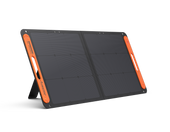
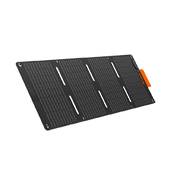
Solarsaga 200W
General
Weight 6.5 ± 0.3 kg
Warranty 3 + 2 Years
Waterproof IP68
Efficiency rate 25%
Operating temperature -4℉~149℉ (-20°C~65°C)
Ports
USB-A Output 5V⎓2.4A
USB-C Output 5V⎓3A
Solar
Peak Power STC: 200W±5%, BNPI: 225W±5%
Power Voltage STC: 18V±5%, BNPI: 18V±5%
Power Current STC: 11.5A±5%, BNPI: 12.6A±5%
Open Circuit Voltage STC: 22V±5%, BNPI: 22V±5%
Short Circuit Current STC: 12.5A±5%, BNPI: 13.5A±5%
Maximum System Voltage 60V
Maximum Reverse Current 15A
Protection Class Against Electric Shock Class II
Bifaciality Coefficient (back/front) Pmax>70%, Voc>95%, Isc>65%
Dimensions
Folded 60 x 59.7 x 4 cm
Unfolded 227.9 x 59.7 x 2.5 cm
image

Explorer 3600 Plus

X1
image

AC Cable

X1
image

3m Solar Panel Connection Cable

X1
image

SolarSaga 200

X1
image
User Manual
Image

FAQ

Performance & Use Cases
Expansion Batteries & Solar Panels
Charging, Output & UPS
Smart App Features
After-Sales Service
  • Is it suitable for camping and car overnight stays?

    Very suitable. With CTB structure, it is lighter and smaller in its class, with wheels and a handle for easy moving. With solar panels, it can charge even without grid power.

  • What can it do as an emergency power source?

    During outages, it can keep powering key appliances like fridges, lights, and routers. With expansion batteries, it can extend runtime up to about 21.5kWh.

  • What is the charge/discharge cycle life?

    6,000 cycles, with guaranteed capacity retention of ≥70% after 6,000 cycles.

  • What output ports are available?

    AC output rated 3600W; DC includes 2×USB-C 100W Max and 2×USB-A 18W Max.

  • What is the inverter no-load power consumption?

    Inverter no-load power consumption is ≤23W. If AC output is not used for a long time, turn it off to save power.

  • What is the operating temperature range?

    Charging & discharging: -20 to 45°C; humidity: 0~60%RH non-condensing. For long storage, keep at 50% charge in a dry place at 0~40°C, and recharge every 3 months.

  • What should I pay attention to when placing the product?

    Place it in a dry, ventilated, cool place. Avoid moisture, rain, water splashes, or high-temperature environments to better protect the battery and extend its lifespan.

  • How many expansion batteries can be connected at most?

    Up to 5 BP3600 units, expanding total capacity to 21.48kWh.

  • What should I do if the expansion battery does not respond?

    Turn off the main unit and battery pack first, connect the expansion cable, then power on again. Make sure all devices are off before connecting.

  • After connecting the main unit and expansion battery, which charges or discharges first?

    The system automatically controls charging order and output distribution. It prioritizes charging the battery with lower power; for output, it distributes load based on overall power. Slight display differences are normal; they will eventually be fully charged or used.

  • When should the expansion battery pack be connected?

    Connect it before charging or discharging. Do not plug or unplug the expansion cable during operation to ensure stable and safe connection.

  • How many solar panels can be connected at most?

    Max solar input 1000W with dual DC8020 ports. With 200W panels, connect 4 as “2 + 2”. Both inputs must use the same model and series count.

  • What should I note when connecting two sets of solar panels?

    Make sure both sets use the same model and series quantity. This keeps voltage stable and the system more reliable.

  • What charging methods are available? How long does charging take?

    AC charging, solar charging, car charging, and AC+DC simultaneous charging. AC about 2100±50W; solar max 1000W, about 4h full charge; car charging about 40h; AC+DC max about 2500±50W.

  • How can I charge more safely and efficiently?

    Avoid using car charging and solar charging at the same time to prevent reduced efficiency or vehicle fuse damage. Choose one charging method based on your scenario.

  • Can the E3600 Plus work as a UPS? Is switching fast?

    Yes. UPS switching time is <10ms with 3600W AC rated output. It switches quickly during outages to protect computers, routers and other critical loads. In pass-through charging mode, max continuous current is 10A. If load exceeds AC charging-while-discharging capacity, F6 protection may trigger. Keep critical loads within that capacity.

  • What should I note during pass-through charging?

    When the battery is discharging and mains power is plugged in, the system switches to mains to charge the battery and power the load. During switching, the load may briefly lose power. If load exceeds AC charging-while-discharging capacity, AC input overcurrent protection triggers and F6 appears. Connect loads first, then plug in mains, or keep load within 10A.

  • Can multiple devices be connected simultaneously in UPS mode?

    Yes, but watch the total power. AC rated output is 3600W, and pass-through charging max continuous current is 10A. If total load exceeds pass-through capacity, overload protection may trigger. Prioritize critical devices and avoid starting high-power appliances at the same time.

  • Does it support APP remote control?

    Yes. Use the Jackery App to check status, set charging power, output time, quiet charging, battery saving mode, charging plan, etc. 2.4GHz network is recommended.

  • What can the App do? Can I control it remotely?

    Yes. With the Jackery App, you can remotely check battery level, input/output power, remaining time, and set charging power, output timer, quiet charging, battery saving mode, charging plan, and working mode. You can also view network info and update firmware. 2.4GHz Wi-Fi is recommended.

  • How do I adjust the charging power? What modes are available?

    In the App’s “Charging settings,” you can choose Fast charging mode, Quiet Charging Mode (below 30dB, slower), or Customize. In Customize mode, AC charging power can be adjusted from 100W to 1700W, so you can match electricity rates, noise, or circuit load.

  • Can I set a timer to turn off AC or DC output?

    Yes. The App supports independent timers for AC and DC output, up to 23 hours 59 minutes. When time is up, the output turns off automatically and you get a notification. It is great for electric blankets, lights, routers, and other devices you do not want to leave on.

  • I am worried about noise when charging at night. What can I do?

    Turn on “Quiet Charging Mode.” It limits charging power and fan speed to keep noise below 30dB, ideal for nighttime or quiet spaces. Charging is slower than fast mode, but much quieter.

  • How can I set it up to make the battery last longer?

    Enable “Battery Saving Mode.” It limits charging/discharging range: discharging stops at 15%, charging stops at 85%. If left plugged in, it discharges to 80% and recharges to 85%. This mode is disabled when an expansion battery is connected. It is ideal for long-term plugged-in backup and extending battery life.

  • I want to charge during off-peak electricity rates. Can the App help?

    Yes. With “Charging Plan,” you can set daily charging time windows, and the system follows them. Solar charging is not restricted and will charge whenever there is sunlight. If battery drops below 7%, it will force charge to 10% to prevent over-discharge.

  • How can I maximize solar energy use?

    Choose “Self-Consumption Mode". Below the backup level, AC and solar charge together; above it, only solar charging is accepted. For discharging, when energy exceeds backup level by a certain percentage, it starts discharging until it drops to the set backup level. This prioritizes green energy and reduces grid usage.

  • Where can I view the Wi-Fi MAC address and update firmware?

    In the App, go to “Settings” > “Network info” to see Wi-Fi name, IP address, and MAC address. Firmware updates are under “Settings” > “Firmware upgrade.” Keep the device online and update to the latest version for the best experience.

  • What is Energy Saving Mode and how do I set it?

    Energy Saving Mode is great for low-power devices like routers and cameras. Press and hold Power + AC for 3 seconds to enable it; default is 12 hours. You can also set 2H/8H/12H/24H or Never Off in the App. When enabled, AC output ≤25W and DC output ≤2W, and output turns off automatically when time is up.

  • How long is the product warranty?

    Warranty follows the official policy of your purchase region. If you purchased directly from the official Jackery store, it usually offers a 5-year warranty (3 years + 2 years automatic extension) without registration. Please refer to the official website/order page.

  • How do I register for the extended warranty?

    If you purchased directly from the official Jackery store, the extended warranty is activated automatically. If you purchased from Amazon or a Jackery-authorized dealer, you need to fill out the form to register the extended warranty: https://support.jackery.com/extend-warranty
    Please switch to the correct site.
    If you have any further questions, please contact: hello.eu@jackery.com

Notes:


*The Lightest and Smallest 3.6kWh Power Station: Compared with products in the same capacity range on the market.

*16-Year  Battery Lifespan: Based on one full charge cycle per day and a total of 6,000 charge cycles, equivalent to approximately 16 years of use.

*Combined Runtime: Estimated runtime based on typical usage patterns and intermittent use of appliances/tools. Actual runtime may vary depending on power consumption, usage frequency, and operating conditions.

*TOU Mode: You must first set the time periods according to your local time-of-use electricity rates for this mode to work properly. TOU Mode operates based on the time periods you set manually and does not read electricity prices dynamically in real time. Accurate time-period settings are required for proper operation.

*<30dB: Noise levels are measured at a distance of 1 meter from the device. In Quiet Mode, the noise level is as low as 30dB, while noise reaches 50.3dB under full-load operation.