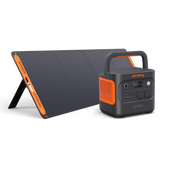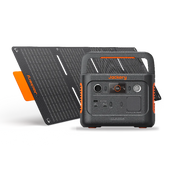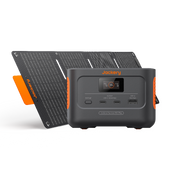
New

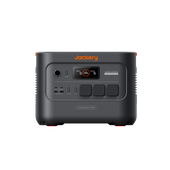
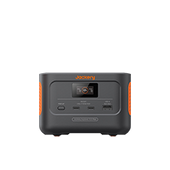
Jackery Explorer 1000 Plus v2 Portable Power Station

€699.00 €799.00 €100 OFF

Tax included.

  • 1024 Wh Capacity
  • 1800 W Output
  • 10.8 kg Weight

① Start with 1kWh, Expand up to 11kWh: Start with 1024Wh for everyday outdoor power, then expand up to 11kWh with BP2000 battery packs as your power needs grow.

② 1800W Output for Real-Life Power Needs: Explorer 1000 Plus v2 supports independent AC control through both physical buttons and the Jackery app, allowing users to manage power more precisely across different devices.

③ Smarter AC Control for Priority Power Use: Explorer 1000 Plus v2 supports independent AC control through both physical buttons and the Jackery app, allowing users to manage power more precisely across different devices.

④ Compact by Design, Built to Expand: Explorer 1000 Plus v2 brings expandable power into a more compact and portable form. With Jackery’s CTB2.0 structural design,  is about 44% smaller and 26% lighter, making it easier to carry, store, and fit into everyday outdoor and home use, making the unit smaller and lighter while still supporting battery expansion.

⑤ Long-Lasting LFP Battery Built for Frequent Use: Built with long-lasting ceramic-coated LFP cells, Explorer 1000 Plus v2 is designed for frequent and long-term use. With 6000 cycles to 70% capacity, it can deliver up to 30 years of reliable power when charged every other day.

⑥ 10ms UPS for Critical Devices: When grid power drops unexpectedly, Explorer 1000 Plus v2 can switch to backup power in just 10ms. This helps keep important devices, such as routers, desktop computers, workstations, and CPAP machines, running more smoothly during short outages.

⑦ Silent Operation: Jackery Explorer 1000 Plus v2 provides clean and stable power without noise — ideal for bedrooms, quiet workspaces, and camping nights.

⑧ Intuitive App Control: Use the Jackery app to check battery level, charging status, and power usage at a glance, making daily power management simple and convenient.

Options
  • Solar Panel Compatibility Notice

    All connected solar panels must be the same model. For example, SolarSaga 100 Air and the previous-generation SolarSaga 100 cannot be used together in the same setup.

Frequently bought together

  • image

    Battery Pack 2000

    Expand Your Capacity

    €799.00 €999.00

  • Image Fast Delivery
  • Image 30-Day Money Back
  • Image 3+2 Years Warranty
  • Explorer 1000 Plus v2 - EU Plugs
  • Explorer 1000 Plus v2 + 1 × SolarSaga 100 Air - EU Plugs
  • Explorer 1000 Plus v2 + 1 × SolarSaga 200 - EU Plugs
  • Explorer 1000 Plus v2 + BP2000 (3kWh) - EU Plugs
€699.00 €799.00 €100 OFF
Image

Start with 1kWh, Expand up to 11kWh.

Start compact with 1,024Wh and add up to five expansion batteries as your power needs grow. From weekend camping and off-grid adventures to longer home backup, Explorer 1000 Plus v2 gives you the flexibility to scale your energy when you need it.

Image
1kWh
Image
11kWh

Power Your Adventures, Now and Beyond.

Starting with 1kWh and expandable up to 11kWh, Explorer 1000 Plus v2 gives you the flexibility to power weekend getaways, extended off-grid adventures and everyday outdoor needs. Run essential gear like cameras, drones, portable fridges and coffee makers wherever your journey takes you. 
Image

Any Senario in Your Life

Keep work, cooking, entertainment, DIY tools and home essentials powered wherever life takes you, with real-world runtimes for every scenario

Prioritise Power Where It Matters Most 

When battery power is limited, Smart Load Prioritisation helps keep your most important devices running for longer instead of letting less essential loads use up available energy. Set or adjust priorities easily through the Jackery app or directly with the physical buttons.
Image
STEP 1.

Set Your Power Priorities

Use the Jackery app to set priorities for individual AC outputs and manage how your battery power is allocated.
Image
STEP 2.

Keep Essentials Powered for Longer

When power is limited, prioritise the devices that matter most and help reserve more energy for essential loads.

Compact by Design, Easy to Take Anywhere

Powered by Jackery’s CTB 2.0 structural design, Explorer 1000 Plus v2 reduces wasted internal space to achieve a more compact, portable form. At 44% smaller and 26% lighter than the previous generation, it’s easier to carry, store and fit into your car boot, camping setup or home.
Image

Versatile Outputs for Every Need 

Power a wide range of devices with 3 AC outlets, USB-C, USB-A and a 12V car port. The built-in LED light offers both standard illumination and an SOS flashing mode, giving you added visibility and reassurance during camping, roadside stops or unexpected outages.
Image

Smart Management, All in One App

Monitor your power in real time, schedule charging around off-peak hours and prioritise the devices that matter most — all from the Jackery app for simpler, smarter everyday energy use.
Image
Image
Image

Multiple Ways To Recharge 

Full Charge in 1.25 Hours

Full charge in as little as 1.25 hours, with flexible options including mains, solar, 12V car socket and alternator charging for home, travel and off-grid use. 
Image
Image
Image
Image

Quiet Power, Day and Night 

Operating at under 30dB, Explorer 1000 Plus v2 delivers dependable power without disturbing sleep, work or quiet evenings — ideal for bedrooms, home offices and camping nights. 
Image

Why Choose Explorer 1000 Plus v2? 

Explorer 1000 Plus v2 combines 1,800W output, up to 11kWh expandable capacity, 6,000-cycle durability and faster AC charging with 3 AC outlets and Smart Load Prioritisation — giving you more power, longer runtime and greater flexibility in a compact 10.8kg design. 
Image

Power You Can Rely On 

Stay prepared with ≤10ms UPS switching and 6,000-cycle LiFePO₄ durability — built to support essential devices through outages and everyday power demands. 
Image
Image
Jackery - Frost & Sullivan

Product Details

Explorer 1000 Plus v2
Image
  • LCD
  • Main Power Button
  • LED Light Button
  • DC 12V Port
  • LED Light
  • DC/USB Power Button
  • AC1 Power Button
  • AC2 Power Button
  • USB-C 140W Output
  • USB-A 18W Output
  • USB-C 30W Output
  • AC Output
Explorer 1000 Plus v2
General
Weight 10.8 kg
Dimensions 31.35 x 20.1 x 23.35 cm
Operating Temperature Discharge: -10°C to 45°C Charge: -10°C to 45°C
Warranty 3 + 2 Years
Battery
Capacity 1024Wh (20Ah/51.2V DC)
Cell Chemistry LiFePO4
Cycle life 6000 cycles to 70%+ capacity
Output Ports
AC Output 3 Ports, 230V~ 50Hz, 7.83A, 1800W
USB-A Output 1 Port, 18W Max, 5-6V⎓3A, 6-9V⎓2A, 9-12V⎓1.5A
USB-C Output 1× USB-C 30W Output 1× USB-C 140W Output
Car Port 1 × DC 12V Port
DC Expansion Port Output 1 Port, 36.8V-56V⎓36A Max
Input Ports
AC Input 220-240V~ 50Hz, 10A Max Bypass Mode: 220-240V~ 50Hz, 7.83A Max
DC Input 2 × DC8020 Ports 1 × DC Expansion Port
image

Explorer 1000 Plus v2

X1
image

AC Cable

X1
image
User Manual
Image

FAQ

Performance & Use Cases
Expansion Batteries & Solar Panels
Charging, Output & UPS
Smart App Features
After-Sales Service
  • Is it suitable for camping and car overnight?

    Very suitable. With CTB 2.0 technology, it is lighter and smaller than the previous 1000Plus, with a handle for easy carrying. With solar panels, it can charge even without grid power.

  • What can it do as an emergency power source?

    During outages, it can keep powering key appliances like fridges, lights, and routers. With expansion batteries, it can extend runtime up to about 11kWh.

  • What is the cycle life?

    6,000 cycles, with guaranteed capacity retention of ≥70% after 6,000 cycles.

  • What output ports are available?

    AC output rated 1800W, surge 3600W; DC includes 1×USB-C 140W Max, 1×USB-C 30W Max, 1×USB-A 18W Max, and 1×car port 12V/10A.

  • What is the operating temperature range?

    Charging: -10~45°C; discharging: -10~45°C; humidity: 0~60%RH non-condensing. For long storage, keep at 50% charge in a dry place at 0~40°C, and recharge every 3 months.

  • What should I note when placing the product?

    Keep it in a dry, ventilated, cool place. Avoid moisture, rain, water splashes, or high temperatures to better protect the battery and extend its lifespan.

  • How many expansion batteries can be connected?

    Up to 5 Jackery Battery Pack 2000 expansion battery packs can be connected. The total capacity reaches 11kWh.

  • The expansion battery doesn’t respond. What should I do?

    Turn off the main unit and battery pack first, connect the expansion cable, then power on again. Make sure all devices are off before connecting.

  • After connecting the main unit and expansion battery, which one charges or discharges first?

    The system automatically controls charging order and output distribution. It prioritizes charging the battery with lower power; for output, it distributes load based on overall power. Slight display differences are normal; they will eventually be fully charged or used.

  • When should the expansion battery pack be connected?

    Connect it before charging or discharging. Do not plug or unplug the expansion cable during operation to ensure stable and safe connection.

  • How many solar panels can be connected?

    Max solar input 400W with dual DC8020 ports. With 200W panels, connect 2 panels (400W total). Both inputs must use the same model and series count.

  • What should I note when connecting two sets of solar panels?

    Make sure both sets use the same model and series quantity. This keeps voltage stable and the system more reliable.

  • What charging methods are available? How long does charging take?

    AC charging, solar charging, car charging, and AC+solar simultaneous charging. AC fast charging about 1100W; solar max 400W; car charging about 12V/8A; emergency flash charging is higher (about 1550W for EU/UK).

  • How can I charge more safely and efficiently?

    Avoid using car charging and solar charging at the same time to prevent reduced efficiency or vehicle fuse damage. Choose one charging method based on your scenario.

  • Can the E1000Plus V2 work as a UPS? Is switching fast?

    Yes. UPS switching time is <10ms with 1800W AC rated output. It switches quickly during outages to protect computers, routers, and other critical loads. When charging while discharging, note the AC input current limit to avoid overload.

  • What should I note during pass-through charging?

    When the battery is discharging and mains power is plugged in, the system switches to mains to charge the battery and power the load. During switching, the load may briefly lose power. Connect loads first, then plug in mains, and keep total load within rated output.

  • Can multiple devices be connected in UPS mode?

    Yes, but watch the total power. AC rated output is 1800W, surge 3600W. If total load exceeds rated output, overload protection may trigger. Prioritize critical devices and avoid starting high-power appliances at the same time.

  • Does it support APP remote control?

    Yes. Use the Jackery App to check status, set charging power, output time, quiet charging, battery saving mode, charging plan, TOU mode, etc. 2.4GHz network is recommended.

  • What can the App do? Can I control it remotely?

    Yes. With the Jackery App, you can remotely check battery level, input/output power, remaining time, and set charging power, output timer, quiet charging, battery saving mode, charging plan, TOU mode, AC output group control, output recovery, Bluetooth/Wi-Fi auto-off, etc. You can also view network info and update firmware. 2.4GHz Wi-Fi is recommended.

  • How do I adjust charging power? What modes are available?

    In the App’s “Charging settings,” you can choose Fast charging mode, Quiet Charging Mode (below 30dB, slower), or Customize. In Customize mode, AC charging power can be adjusted to match electricity rates, noise, or circuit load.

  • Can I set a timer to turn off AC or DC output?

    Yes. The App supports independent timers for AC and DC output, up to 23 hours 59 minutes. When time is up, the output turns off automatically and you get a notification. It’s great for electric blankets, lights, routers, and other devices you don’t want to leave on.

  • I’m worried about noise when charging at night. What can I do?

    Turn on “Quiet Charging Mode.” It limits charging power and fan speed to keep noise below 30dB, ideal for nighttime or quiet spaces. Charging is slower than fast mode, but much quieter.

  • How can I make the battery last longer?

    Enable “Battery Saving Mode.” It limits charging/discharging range, default SOC cycle 15%–85%, extending battery life. This mode is disabled when an expansion battery is connected. It’s ideal for long-term plugged-in backup and extending battery life.

  • Can the App help me charge during off-peak hours?

    Yes. With “Charging Plan,” you can set daily charging time windows, and the system follows them. Solar charging is not restricted and will charge whenever there’s sunlight. If battery drops below 7%, it will force charge to 10% to prevent over-discharge.

  • How can I maximize solar energy use?

    Choose “Self-Consumption Mode". Below the backup level, AC and solar charge together; above it, only solar charging is accepted. For discharging, when energy exceeds backup level by a certain percentage, it starts discharging until it drops to the set backup level. This prioritizes green energy and reduces grid usage.

  • Where can I view the Wi-Fi MAC address and update firmware?

    In the App, go to “Settings” > “Network info” to see Wi-Fi name, IP address, and MAC address. Firmware updates are under “Settings” > “Firmware upgrade.” Keep the device online and update to the latest version for the best experience.

  • What is Energy-Saving mode for? How do I set it?

    Energy-Saving mode is great for low-power devices like routers and cameras. Press and hold Power + AC for 3 seconds to enable it; default is 12 hours. You can also set 2H/8H/12H/24H or Never Off in the App. When enabled, AC output ≤25W and DC output ≤2W, and output turns off automatically when time is up.

  • How long is the product warranty?

    Warranty follows the official policy of your purchase region. If you purchased directly from the official Jackery store, it usually offers a 5-year warranty (3 years + 2 years automatic extension) without registration. Please refer to the official website/order page.

  • How do I register for the extended warranty?

    If you purchased directly from the official Jackery store, the extended warranty is activated automatically. If you purchased from Amazon or a Jackery-authorized dealer, you need to fill out the form to register the extended warranty: https://support.jackery.com/extend-warranty
    Please switch to the correct site.
    If you have any further questions, please contact: hello.eu@jackery.com